For Accountant, principal · 6 min
Fee plans, defaulters and reminders
Create one plan per instalment (Tuition Q1, Q2…) and bill it to a class. Overdue bills appear on Defaulters.
adimata.com/schoolos/app/fees
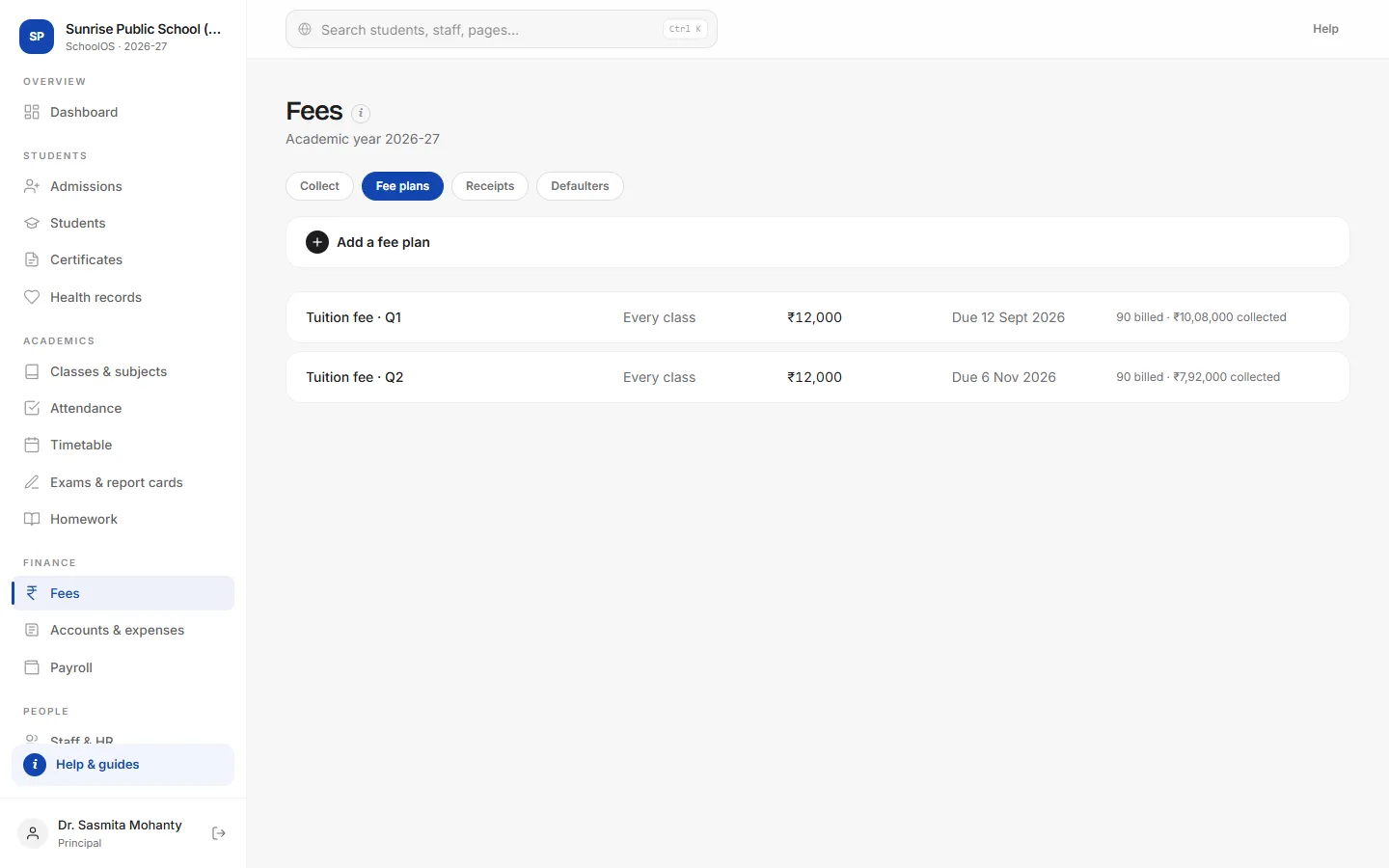
- 1Add a planFee name, class (or every class), amount and due date.
- 2Bill the studentsOpen a plan and press Bill students. Running it again never bills anyone twice.
adimata.com/schoolos/app/fees
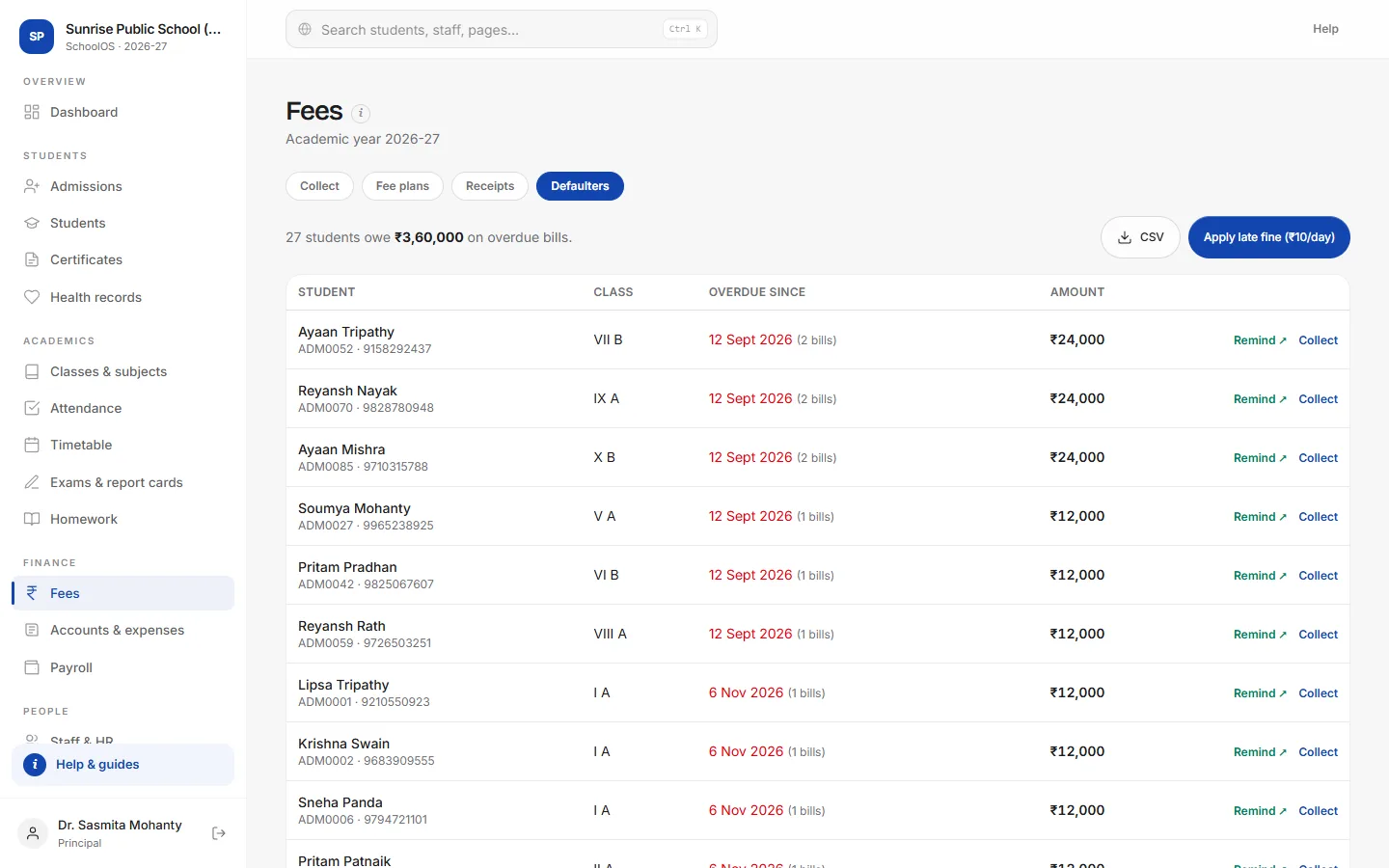
- 3See who owes whatStudents with overdue bills, largest first, with the oldest due date.
- 4Remind a parentRemind opens WhatsApp with the message ready; with the school's number linked, remind everyone in one click.
- 5Export the listDownload a CSV for the office or management.
Tips
- Set a late fine per day in School settings, then use Apply late fine.
- Send gentle reminders a few days before the due date: WhatsApp → Parents with fees due soon.