For Office admin · 8 min
Add, import and manage students
Every student has one record with family details, government IDs (APAAR, PEN), fees, attendance and results.
adimata.com/schoolos/app/students
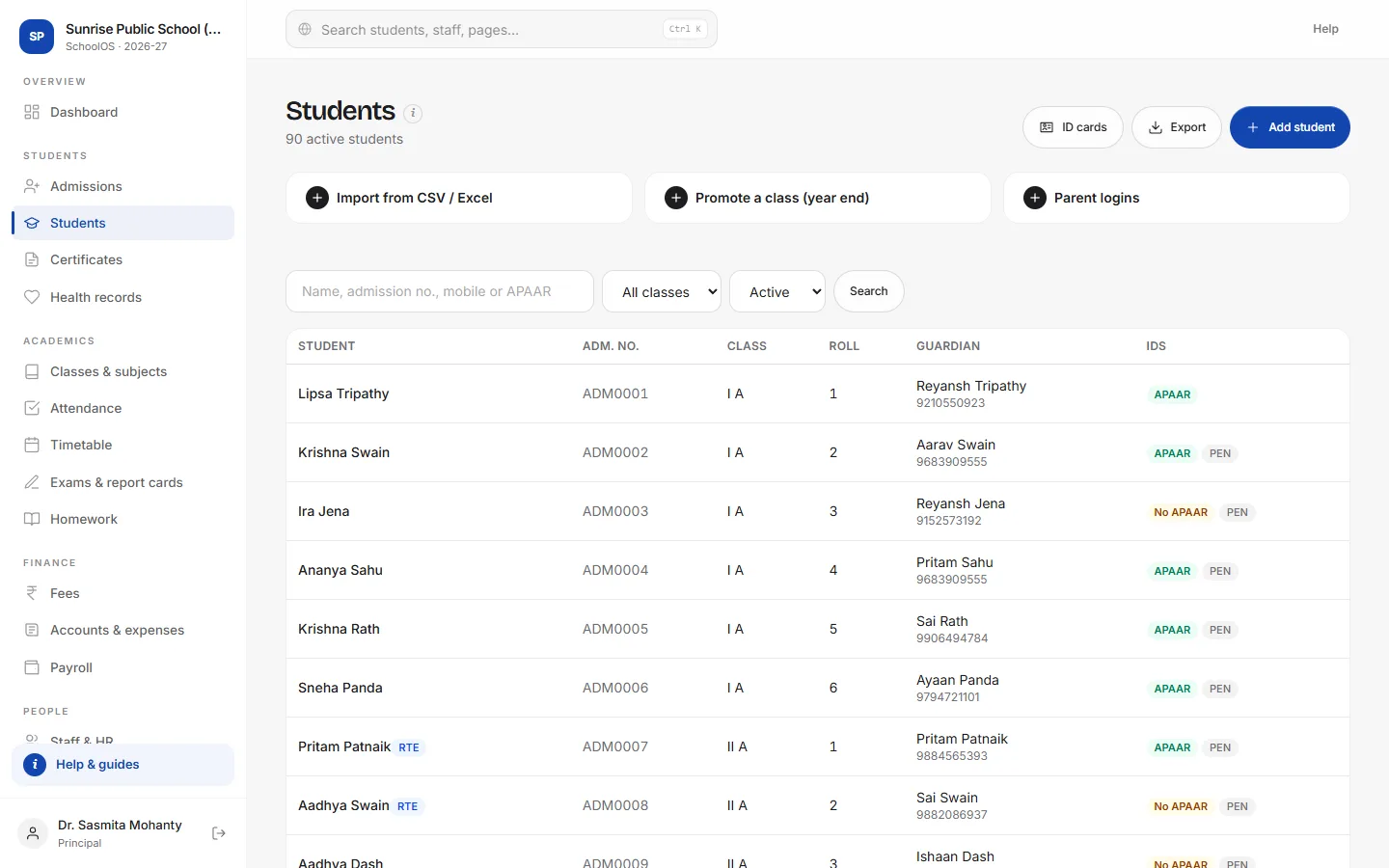
- 1Find anyone fastSearch by name, admission number, mobile or APAAR ID, and filter by class.
- 2Add a studentOnly the name and admission number are required. The guardian's mobile becomes the parent login.
- 3Import your Excel listSave your sheet as CSV with a header row (admission_no, name, class, section…) and upload it. Existing admission numbers are updated, not duplicated.
- 4Promote at year endMove a whole section up a class, or mark passed-out students as alumni.
- 5Print ID cardsCredit-card ID cards with photos for the selected class, 8 per A4 sheet.
adimata.com/schoolos/app/students/…
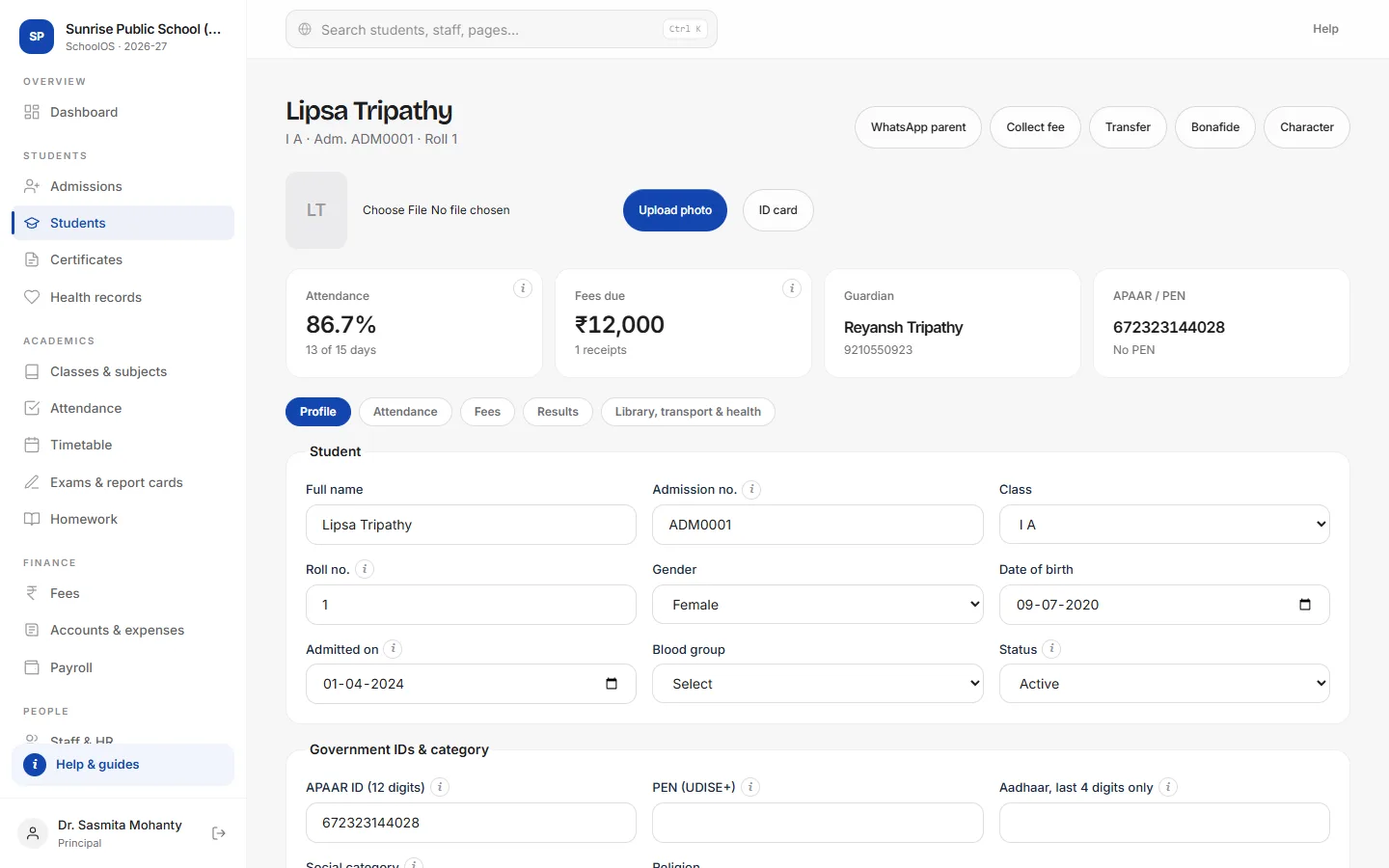
- 6Add a photoThe photo prints on ID cards and admit cards.
- 7Act from the recordCollect a fee, message the parent on WhatsApp or print a TC, bonafide or character certificate.
- 8See everything about the childTabs show attendance by month, fees and receipts, results, and library, transport and health records.
Tips
- Store only the last four digits of Aadhaar.
- Siblings with the same guardian mobile share one parent login.
- Record the guardian's consent date for the DPDP Act.