For Principal, office · 5 min
Link WhatsApp and message parents
SchoolOS sends from the school's own WhatsApp number, only when someone presses Send.
adimata.com/schoolos/app/whatsapp
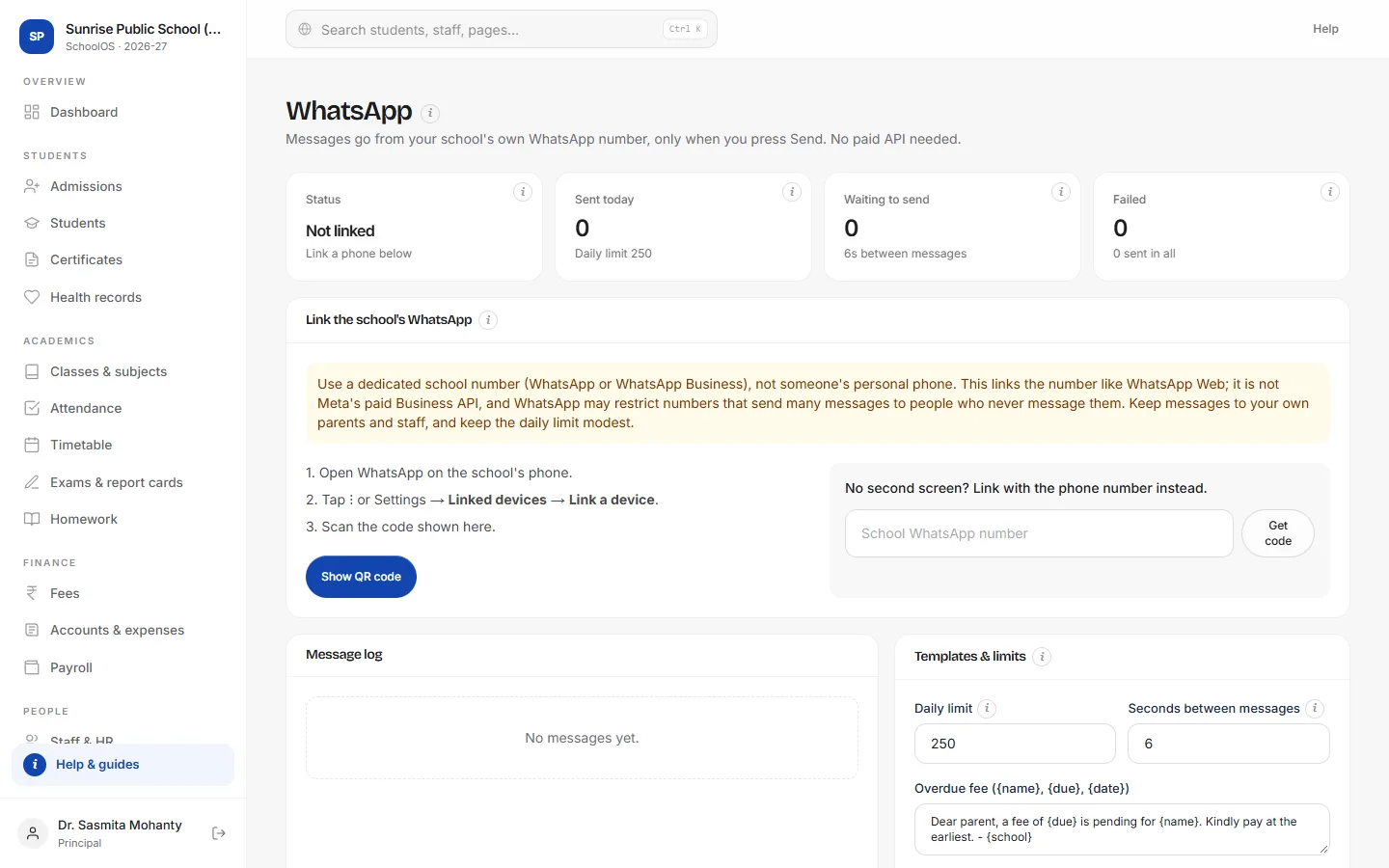
- 1Read the noteUse a dedicated school number. WhatsApp may restrict numbers that send many messages, so keep to your own parents and staff.
- 2Show the QR codeOn the school phone: WhatsApp → Linked devices → Link a device, then scan.
- 3Or use a codeNo second screen? Enter the school number and type the 8-character code on the phone.
- 4Check the logEvery message, its status and any error. Retry or cancel from here.
Tips
- Edit message wording under Templates & limits.
- Notices, receipts, absentees and defaulters each have their own Send on WhatsApp button.